

Delete your account
You can delete your Hankkirang account in the app straight away. Without the app, you can ask for it on this page.
Delete in the app
Four taps. It is done the moment you press the last one.
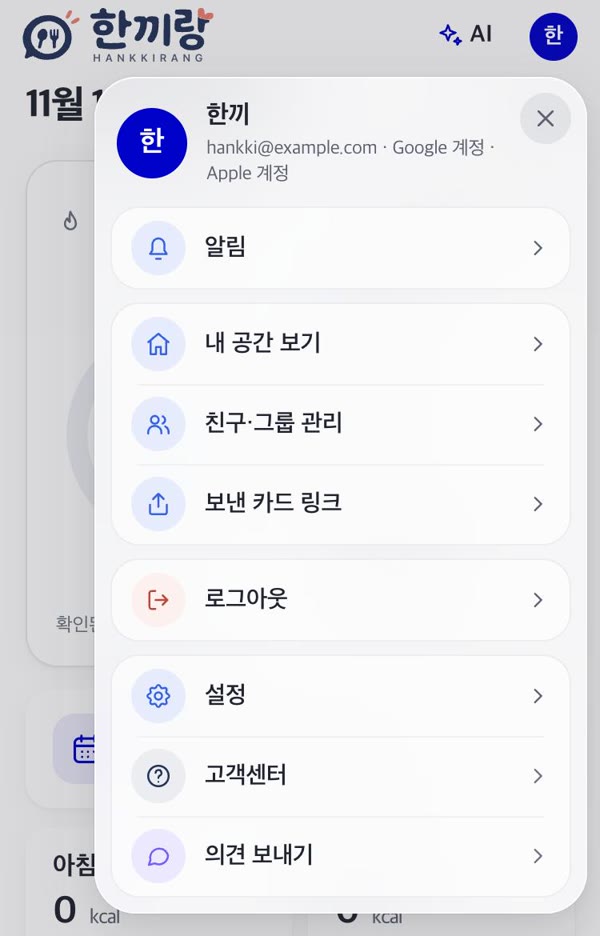
Go to Settings
Tap your picture at the top right, then “Settings”.
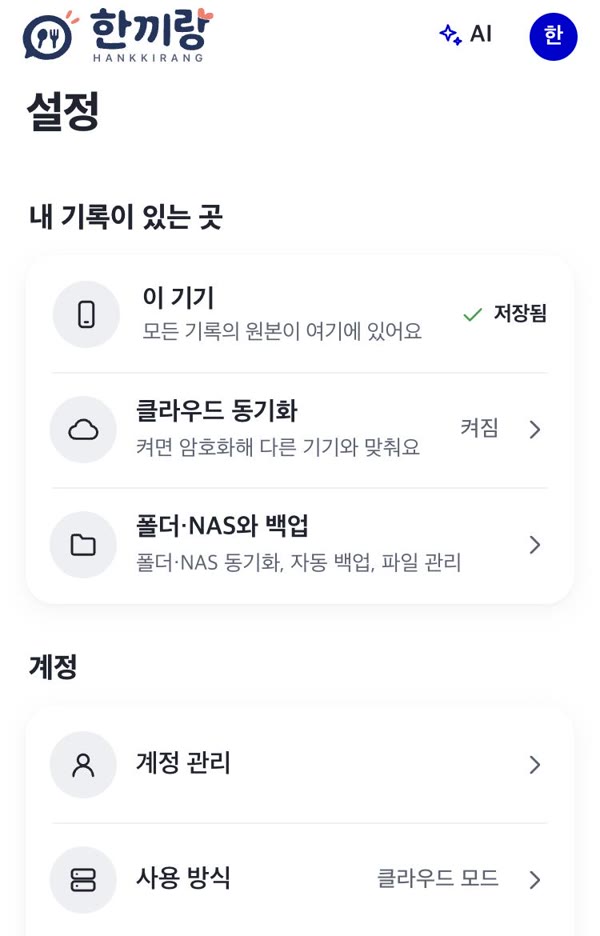
Account options
Under “Account”, tap “Account options”.
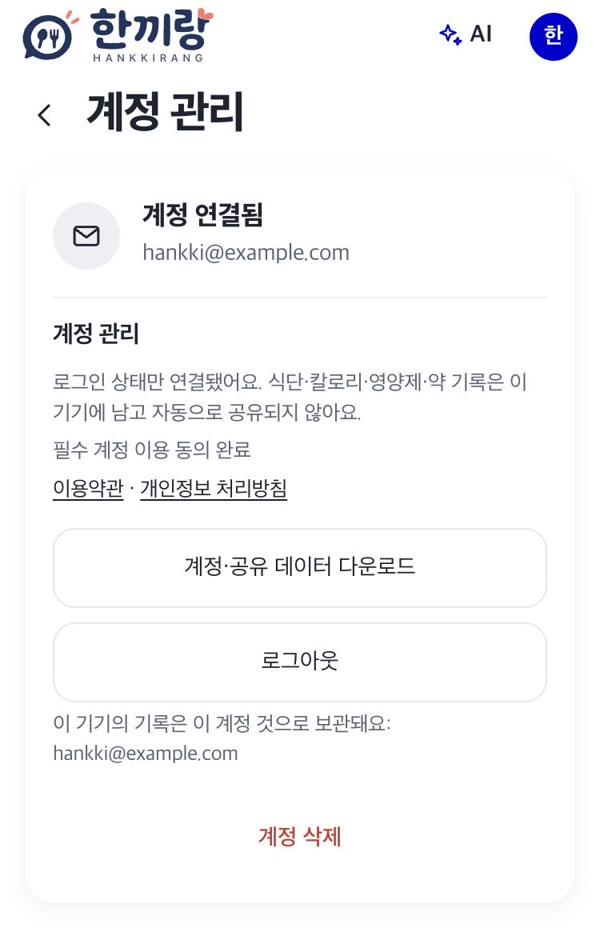
Delete account
Tap the red “Delete account” at the bottom.
Confirm
Read what is deleted and tap “Delete account”. It is done at once and cannot be undone.
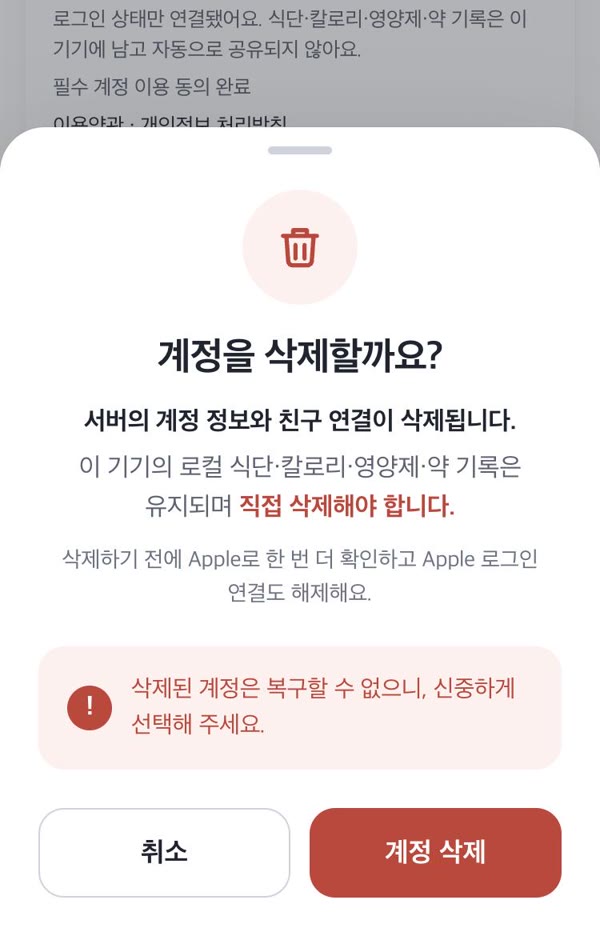
These are real screens of the app, shown in Korean. The name and email on them are examples.
What is deleted and what stays
Deleted from our servers
- Your account and sign-in link
- Friend connections and groups
- Posts, comments, photos and profile
- Your cloud sync copy
Stays on your device
- Records saved on your phone or computer
- Backup files you exported, files in your own folder or NAS
To delete the records on your device too, delete the app or remove them in Settings → My data.
Processing records the law requires us to keep, and review copies of posts that were under review after reports, are kept separately for a set period and then deleted. The periods are in the Privacy Policy.
Cancel subscriptions separately
Deleting your account does not cancel an App Store subscription. Cancel it in iPhone Settings → Apple Account → Subscriptions.
If you signed in with Apple
Deleting in the app also removes the Sign in with Apple link. If you asked on the web, remove it yourself in iPhone Settings → Apple Account → Sign in with Apple → Hankkirang.
Ask without the app
We send a confirmation email to your sign-in address. Reply to it and we delete the account within 7 days and tell you when it is done.